
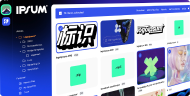



How does Corebook° support multi-brand architecture?
Managing a house of brands or a multi-market brand requires balancing global consistency with local agility. Corebook° provides a centralized workspace designed specifically for enterprise-scale brand governance and multi-brand architecture.
Centralized Multi-Brand Management
Can I manage multiple brands in one workspace?
Yes. Corebook° allows enterprise teams to manage unlimited brand guidelines within a single workspace. Each brand maintains its own unique URL, content structure, and permission settings, enabling a "centralized hub" for diverse brand portfolios.
Multi-Market Brand Adaptation
How does Corebook° handle global vs. local branding?
Corebook° utilizes a Master-and-Copy framework to maintain global consistency while allowing local flexibility:
-
Master Syncing: Link modules to a primary brand for real-time updates across all markets.
-
Local Customization: "Unlink" specific modules to adapt for cultural, legal, or regional campaign requirements.
-
Multi-Language Support: Create localized versions of guidelines to serve global audiences without duplicating manual work.
Automated Access and Enterprise Security
How are user permissions and SSO handled?
Corebook° streamlines security with enterprise-grade protocols:
-
SSO & MFA Integration: Seamlessly integrate with Single Sign-On, MFA, and 2FA.
-
Domain-Based Access: Automatically grant "Viewer" access to anyone with a verified company email.
-
Automated Offboarding: Access is instantly revoked when an employee's corporate email is deactivated.
Collaborating with Agencies and Partners
How do external partners access guidelines?
Guidelines are shared via dedicated URLs that stay updated in real-time. Security options include:
-
Password protection for sensitive assets.
-
Expiration links for asset libraries.
-
SSO-restricted access for high-security environments.
Shared Modules and Design Systems
Can we share design elements across different brands?
While maintaining brand independence, Corebook° facilitates cross-brand consistency through:
-
Global Copy-Paste: Move any module between different brand guidelines instantly.
-
Saved Modules: Reuse content blocks within projects for efficiency.
-
Custom Page Templates: Deploy shared templates across the entire brand ecosystem.
The Corebook° Advantage
Whether you are managing a branded house of 20+ identities or a single brand across 30+ markets, Corebook° scales brand governance without sacrificing speed.
How do agencies and partners access brand guidelines?
Each guideline has its own dedicated URL—always up to date, no login required unless you want it to be. For tighter control, you can add password protection, link expiration to brand assets living in asset library, or restrict access to users within your SSO environment.
It’s brand sharing that’s built for modern teams and external collaboration, without sacrificing security.
Can we create shared design systems across brands?
Not quite shared design systems in the traditional sense—but something just as powerful and more flexible in real life.
Here’s how it works:
-
Use global copy-paste to seamlessly move any module from one brand guideline to another.
-
Save any content block as a saved module to reuse it within the same project.
-
Create shared custom page templates that can be used across any brand inside your ecosystem.
This gives you all the tools to maintain consistency where it matters, without locking teams into rigid systems.
Whether you’re overseeing 20 brands or running a global brand in 30+ markets, Corebook° helps you scale brand governance without slowing teams down.
It’s fast, flexible, and built for the way enterprise brands work today—modular, market-ready, and always on-brand.
Ready to simplify your brand architecture?