



How do I create an online brand guideline?
Are you a brand manager itching for a change in how you handle your branding workflow and tech stack? Right now, you might be stuck with brand guidelines in an old format, version 7.1.1, that you need to keep sending out to everyone in your company. Then, you've got to explain all those updates to your external partners. Just thinking about it is enough to make you cringe, right?
And let’s not even start on the assets. Where did you last see them? On your laptop, or maybe on a teammate’s? Or did they end up in the cloud somewhere? It’s all a bit of a mess, and just sorting through it feels like you need a break.
Sound familiar? Well, today we're diving into how you can ditch that headache for good. But first lets learn what are online brand guidelines first and what are the key benefits.
What are online brand guidelines?
Online brand guidelines (also known as digital brand books) are cloud-based platforms used to store, manage, and share a company’s visual and verbal identity in real-time. Unlike static PDFs, online guidelines ensure that design assets, logos, and brand rules are always up-to-date and accessible via a secure URL.
Key benefits of digital brand books:
-
Real-Time Syncing: Updates made to the core brand identity reflect instantly for all stakeholders.
-
Asset Portability: Direct download links for .svg, .png, and brand fonts within the documentation.
-
Interactivity: The ability to embed live code snippets, video guidelines, and UI kits.
-
Version Control: Tracking brand evolution without distributing multiple file versions.
How to get started?
Start small with visual identity fundamentals
When thinking about shaking up your branding workflow It might seem like a huge task to move those hefty 100+ page brand guides online. But guess what? You can totally start small. Focus on the essentials that everyone uses the most—like logos, typography, colors, and tone of voice.
The cool thing about an online brand portal is that it's always up-to-date. You don't need to sweat about covering every single detail right away. Just set up the key pages first, hit the publish button, and share your custom, branded link with your team and outside partners. They can start using it right off the bat.
As you move forward, you can keep adding new pages and content whenever you need to. Everyone will have instant access, making life a whole lot easier!
Scale brand guidelines as you go
Now that we've nailed the basics, it's time to beef up your brand guidelines with all that extra content you've got. As you're adding stuff, try looking at things from different perspectives. Ask yourself: How can we make this presentation pop? Would swapping out some images for animations make it clearer? If a topic's complex, how about throwing in some explainer videos to make things easier to understand? Sometimes, it might be as simple as including downloadable attachments and resources right in the sections they're needed.
Grab your team and take a bit to really think about how someone will go through your brand guide. What will make their experience smoother and your message clearer?
Managing brand and its assets
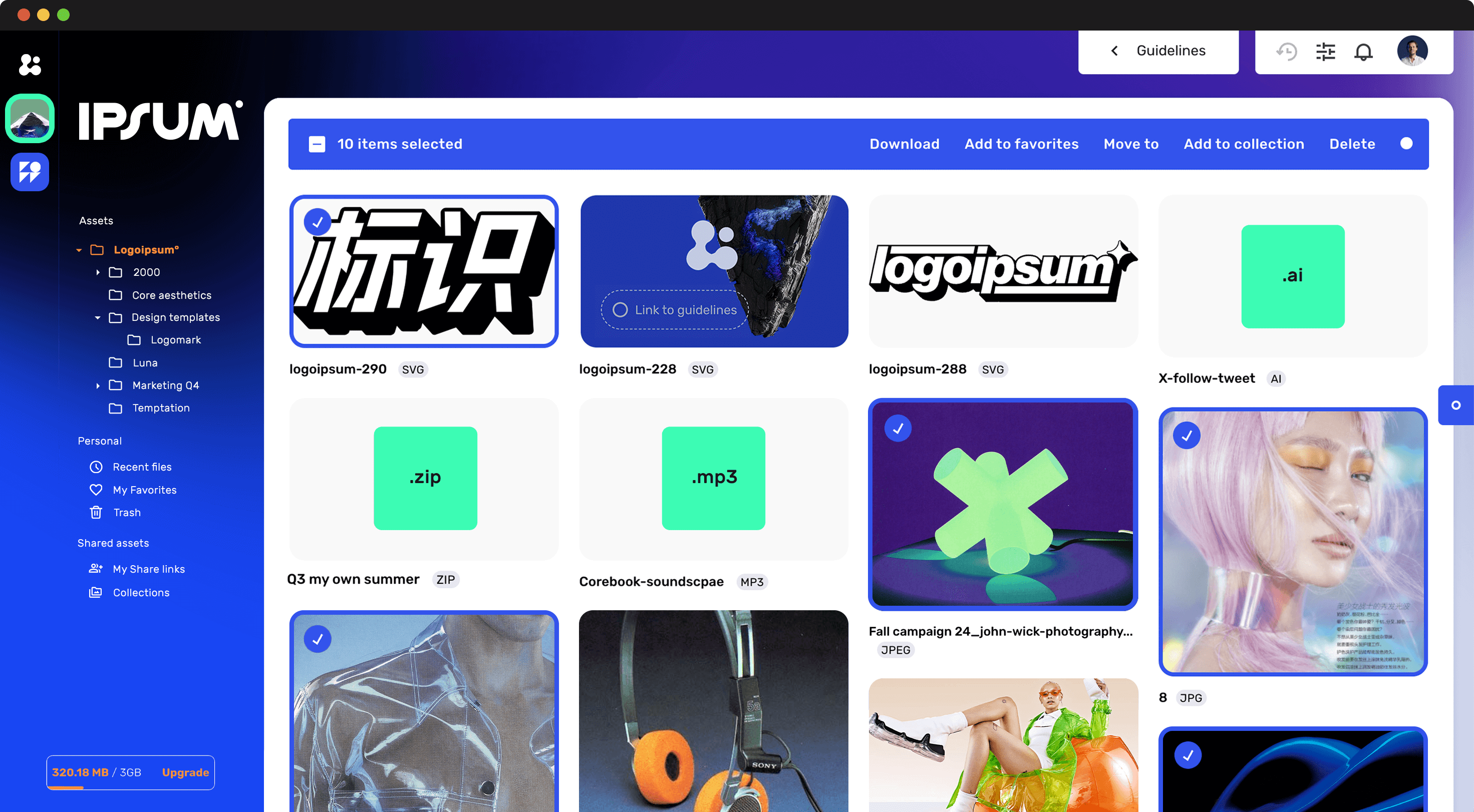
Awesome job on moving your brand from the old-school guide to an online setup that really pops! Now, it’s time to dive into managing your brand in this new space. Think of your brand guidelines as just the starting point. Sometimes, you'll run a campaign that pulls info straight from your brand guide, but you might not want to keep that info up forever, right? Use your Asset Library to keep and share all your brand assets with your team. It’s way better than using those one-off cloud transfers. Keep everything organized and accessible right there in your Asset Library, making sure everything stays perfectly on-brand.
Ready to become a market leader and a champion of brand design integrity? Just follow these three steps, and you're all set to begin your journey. Think of your brand guide not just as some old rulebook that everyone dreads. It's more like a cool guide that acts as the go-to source for everyone, inside and outside your team. So in summary:
3 steps to build dynamic online brand hub:
-
Start with the Essentials: Begin by moving high-use elements like logos, typography, and color palettes online.
-
Scale and Enhance: Gradually add complex sections, using video and downloadable resources to improve clarity.
-
Active Management: Use an integrated Asset Library to manage campaign materials and maintain design integrity across your entire organization.